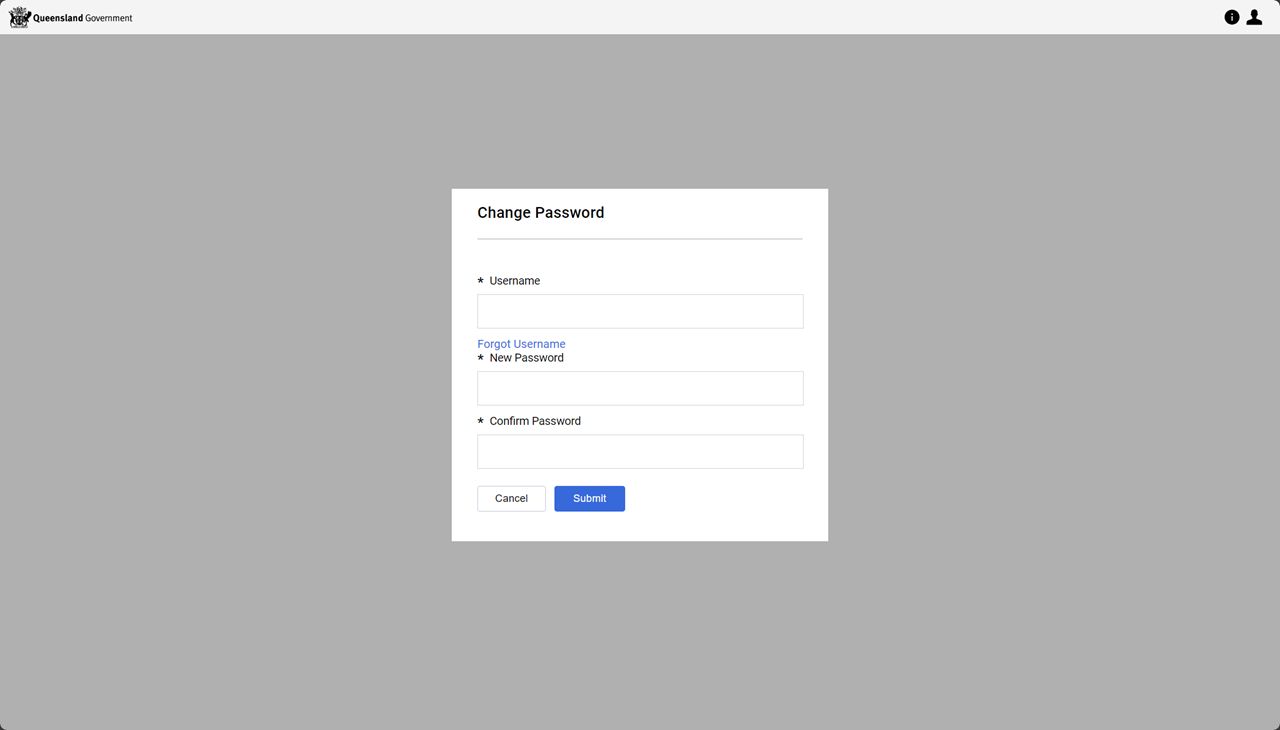
Reset a forgotten password
Warning A deactivated user no longer receives P2i email notifications.
Tip You will need to enter your Username and Email address.
If you have forgotten your Username use the Recover a forgotten username option.
To reset your password:
The process is commenced from the P2i Supplier/Staff Login page.
-
Click the Forgotten your password? link.

-
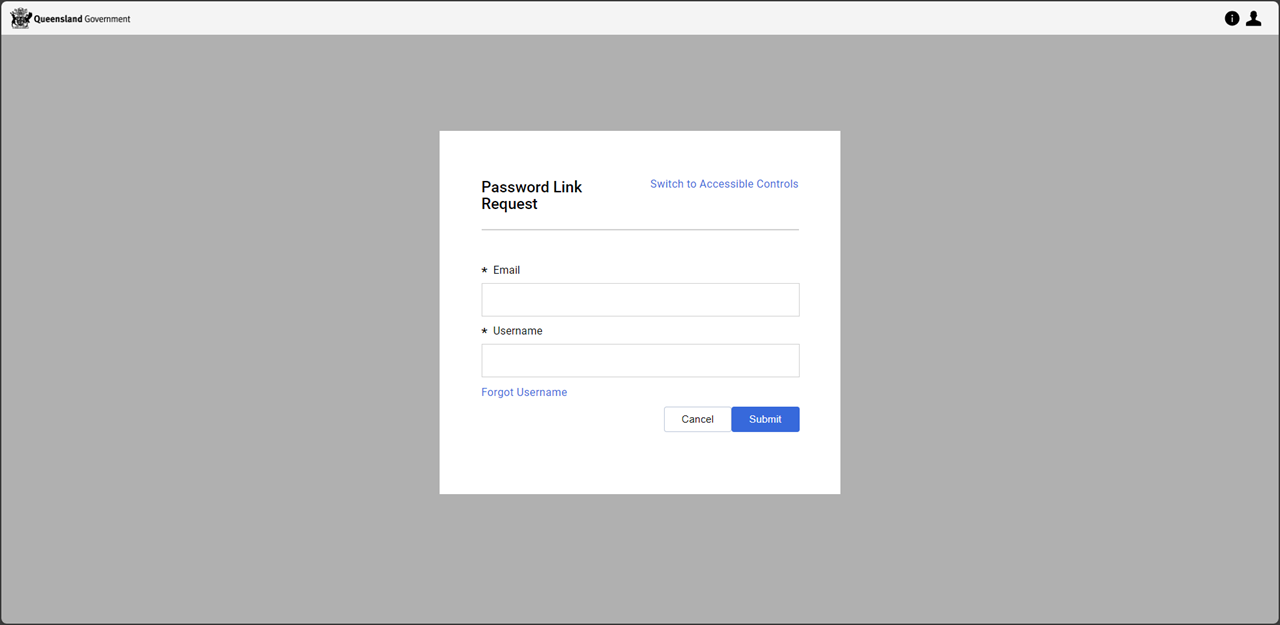
Enter your email address and username and click
 .
.
Note An email message containing a link to reset your password has been sent to you.
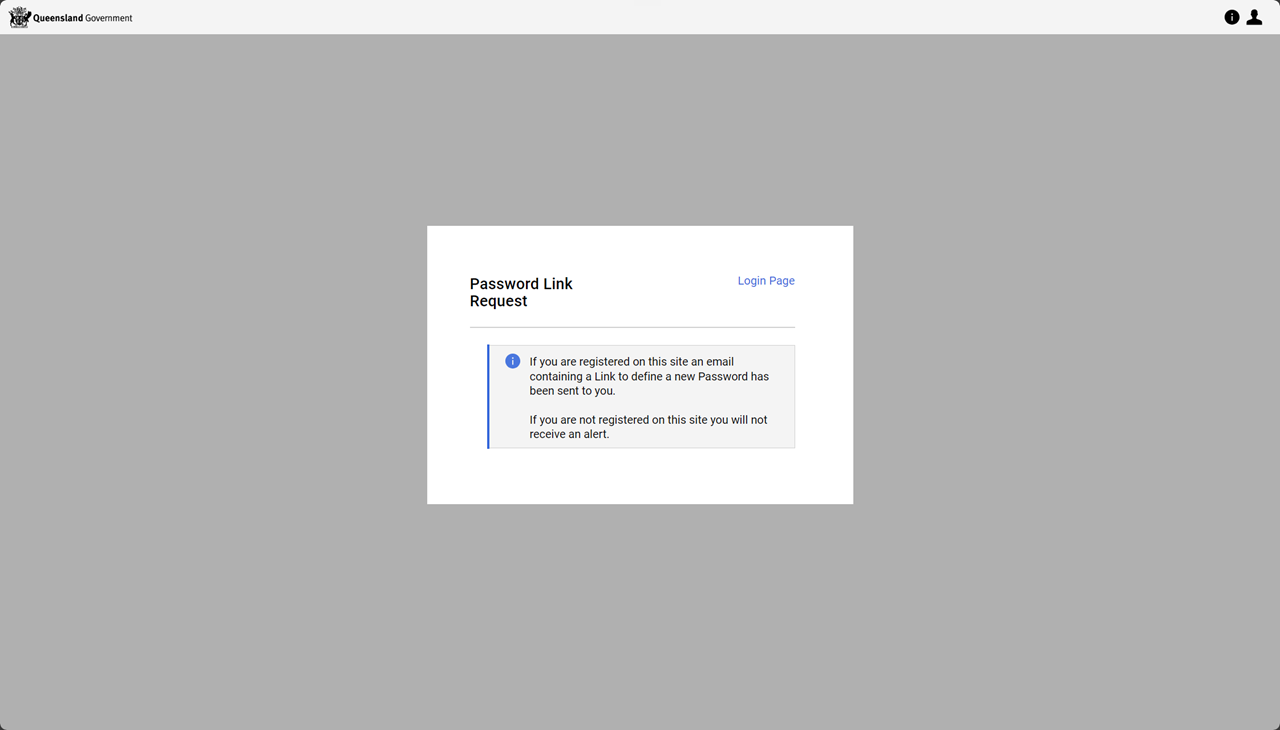
-
Click the password reset link in the email.
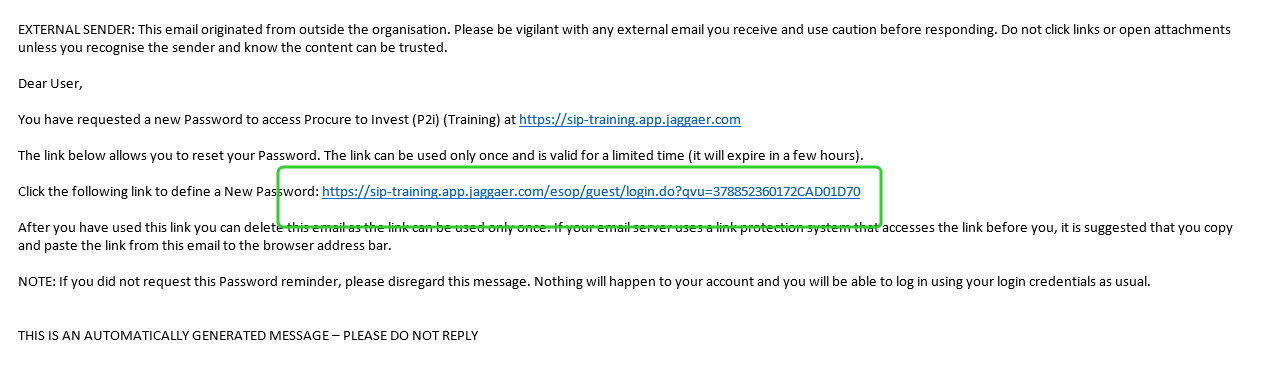
-
Enter Username and New Password (enter the password a second time to Confirm Password).
Note Password Policy
-
Minimum password length 14 characters
-
Removed complexity requirements of including uppercase letters, numbers, and special characters. Instead, the use of a passphrase is recommended. A passphrase is a sequence of words or a sentence that is long but easy to remember (e.g. BlueSkyButterflyMorning - please do not use this as your password).
-
Password expiry period increased from 90 days to 365 days
-
User accounts will now be locked after 5 consecutive unsuccessful login attempts
-
-
Click the
.